I Built a Bus Booking App as a Frontend Practice Project — Here's What I Learned
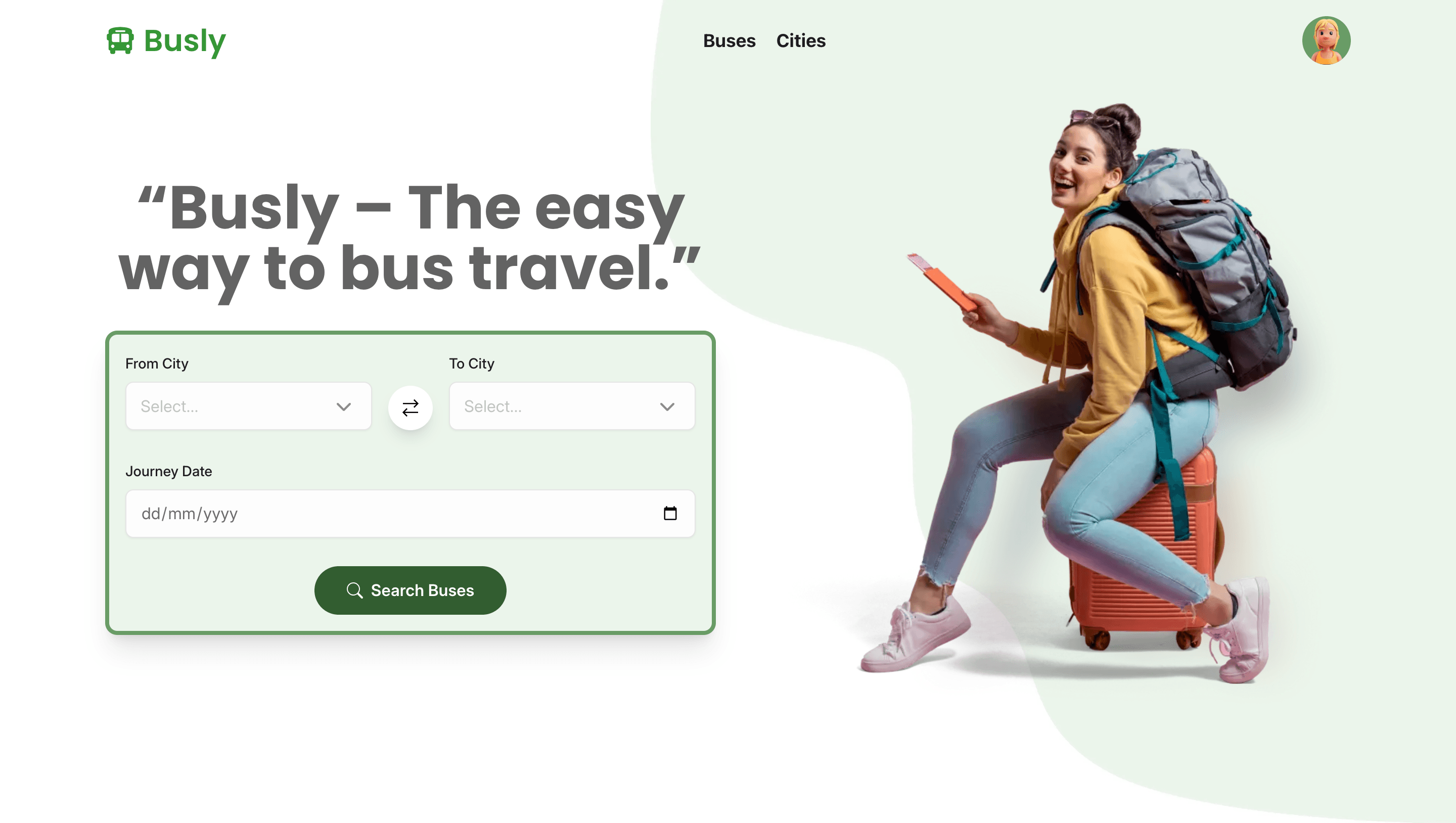
I finished a personal project called Busly — a bus booking web app built with React, TypeScript, and Vite.
This is a writeup of what it is, why I built it, and what I'd do differently.
What is Busly?
Busly is a simulated bus booking platform. Users can browse routes, pick travel dates, and go through a booking flow — all powered by static mock data. Think of it as a realistic-looking UI for a product that doesn't actually exist yet.
The app has multiple pages, real form validation, dynamic routing, and a proper folder structure. It looks and behaves like a real app — it just doesn't talk to a real server.
Why a bus booking app?
I needed a project that was scoped just right. Too simple (a to-do list, a counter) and you don't run into real architectural decisions. Too ambitious (a full-stack SaaS) and you never finish.
A bus booking UI hit a sweet spot:
- It has a search form with real validation logic (dates, locations, required fields)
- It has multiple pages that need proper routing
- It has shared state that needs to be managed across components
- It has lists, cards, filters, and a checkout-style flow
All of that is interesting frontend work — without needing a database or auth system to make it functional.
The tech stack
I used this as an opportunity to work with tools I wanted to get more comfortable with:
- React 19 + TypeScript — the core
- Vite — fast dev server, zero config headaches
- TailwindCSS — utility-first styling with a Prettier plugin for class sorting
- React Router v7 — client-side routing with nested routes
- Formik + Yup — form state management and schema validation
- date-fns + react-flatpickr — date handling and the date picker UI
- react-icons — icon library
Nothing exotic. The point was to go deeper with familiar tools, not collect new ones.
How I structured it
One thing I was deliberate about was folder structure. I've worked on projects where everything lives in /components and it becomes a mess fast. For Busly I split things properly:
src/
├── components/    Reusable UI pieces
├── pages/         One file per route
├── context/       React Context providers
├── hooks/         Custom hooks
├── data/          All mock data lives here
├── types/         TypeScript interfaces
├── utils/         Helper functions
└── config/        App-wide config
It's a bit over-engineered for a project this size, but that was the point — practising the structure before I need it in a larger codebase.
What I actually learned
Formik + Yup is a great combination
Before this project I'd only used controlled inputs manually. Formik handles the form state, Yup handles the validation schema, and they integrate cleanly. Writing a Yup schema for the search form — required fields, date ordering, custom error messages — felt much better than writing validation logic by hand.
React Context is enough for moderate state
I used Context for things like the current search query and selected booking that needed to be shared across pages. I didn't reach for Redux or Zustand, and I didn't need to. For a project at this scale, Context + a custom hook is clean and readable.
TypeScript pays off quickly
I typed everything — the mock data shapes, the props, the context values. A few times TypeScript caught me passing the wrong thing to a component, or forgetting a field. That feedback loop is fast and worth the upfront effort of writing the interfaces.
Finishing matters
I've started plenty of projects that stalled. Busly got finished. Keeping the scope small and the data mocked meant I could focus entirely on the frontend work I actually wanted to practise, without getting stuck on backend decisions.
What's missing (on purpose)
To be clear about what this isn't:
- No backend — all data is static and lives in
/src/data - No authentication
- No real payments
- No database
These weren't cut corners — they were deliberate scope decisions. Adding a backend would have doubled the project length and moved focus away from the frontend work I was here to do.
What I'd do differently
Add more interactivity to the data. Right now the mock data is just imported JSON. I'd wire it up with something like json-server or MSW (Mock Service Worker) so the app actually makes async requests, handles loading states, and deals with errors — that's closer to real-world frontend work.
Write some tests. I didn't write a single test. At minimum, testing the Yup validation schemas and a few utility functions would have been good practice.
Wrapping up
Busly isn't a product. It's a practice project — and a finished one, which matters more than it sounds.
If you're at a similar stage in your frontend journey and looking for a project idea, I'd recommend the "simulate a real app with mock data" approach. It gives you enough real problems to solve without blocking you on infrastructure.
The code is on GitHub if you want to look around: github.com/prashantsingh181/busly